Automating Budgeting and Financial Forecasting: A Complete Guide for Growing Businesses
Learn how to automate budgeting and forecasting to replace error-prone spreadsheets with real-time financial planning that scales with your business.
What Is Budgeting and Forecasting Automation?
Budgeting and forecasting automation is the use of specialized software to create, maintain, and update financial budgets and projections without relying on manually maintained spreadsheets. Instead of a finance team spending weeks building an annual budget in Excel, emailing worksheets to department heads for input, consolidating responses, fixing broken formulas, and then repeating the process every time conditions change, automated platforms handle data collection, consolidation, scenario modeling, and variance analysis continuously.
A modern budgeting and forecasting system connects to your accounting software, CRM, payroll system, and other operational data sources to pull in actual financial results automatically. It provides templates and workflows for budget input across the organization, consolidates submissions without manual copy-paste, enables rolling forecasts that update monthly rather than producing a single static annual budget, and generates real-time variance reports that compare planned vs. actual performance.
For growing businesses that have outgrown the "one person builds the budget in Excel" approach but are not ready for a full enterprise financial planning suite, automation fills a critical gap between spreadsheet chaos and unnecessary complexity.
Why Do Spreadsheet-Based Budgets Fail?
Excel and Google Sheets are powerful tools, and nearly every business starts its budgeting process in a spreadsheet. But as organizations grow, spreadsheet-based budgeting develops cracks that automation addresses.
- Version control is a nightmare. When 10 department heads each receive a copy of the budget template, make their inputs, and email it back, the finance team has 10 separate files to consolidate. If someone sends an update after consolidation has started, you are merging changes manually. Errors are inevitable.
- Formulas break silently. A misplaced cell reference in a complex spreadsheet does not throw an error; it just produces a wrong number. The University of Hawaii research on spreadsheet errors found that nearly 90% of complex spreadsheets contain formula errors. In a budget, these errors can misallocate resources by tens or hundreds of thousands of dollars.
- Scenarios are impractical. Building a best-case, worst-case, and base-case scenario in a spreadsheet means maintaining three separate versions of a complex model. Each change needs to be applied to all three, which is so tedious that most businesses just build one scenario and hope for the best.
- The budget is dead on arrival. A traditional annual budget takes weeks to build and is based on assumptions that may already be outdated by the time it is approved. Within a few months, actual conditions have diverged so far from the plan that the budget becomes a historical artifact rather than a management tool.
- Collaboration is sequential, not parallel. In spreadsheets, only one person can realistically work on a section at a time. This turns budgeting into a bottleneck that monopolizes the finance team's time during planning season.
- There is no audit trail. When someone changes a number in a shared spreadsheet, there is no record of who changed it, when, or why. This makes the budget approval process unreliable and creates accountability gaps.
How Does Budgeting Automation Work?
Automated budgeting platforms replace the spreadsheet workflow with a structured, connected process that addresses each of the problems described above.
Centralized Data Collection
Instead of emailing spreadsheet templates, the system provides each budget owner (department heads, project managers, regional leaders) with a web-based input form pre-populated with their historical data and current headcount. They enter their budget requests directly into the system, where the data is validated against business rules before submission.
This eliminates version control issues entirely. There is always one source of truth, and everyone is working from the same data at the same time.
Automatic Consolidation
As budget inputs are submitted, the system consolidates them in real time. The CFO or finance director can see the consolidated budget taking shape as departments submit, rather than waiting until every last input is received before consolidation can begin.
Business rules handle the complexity: headcount-driven expenses (like benefits costs per employee) are calculated automatically, overhead allocations follow predefined methodologies, and interdepartmental eliminations are applied without manual intervention.
Rolling Forecasts
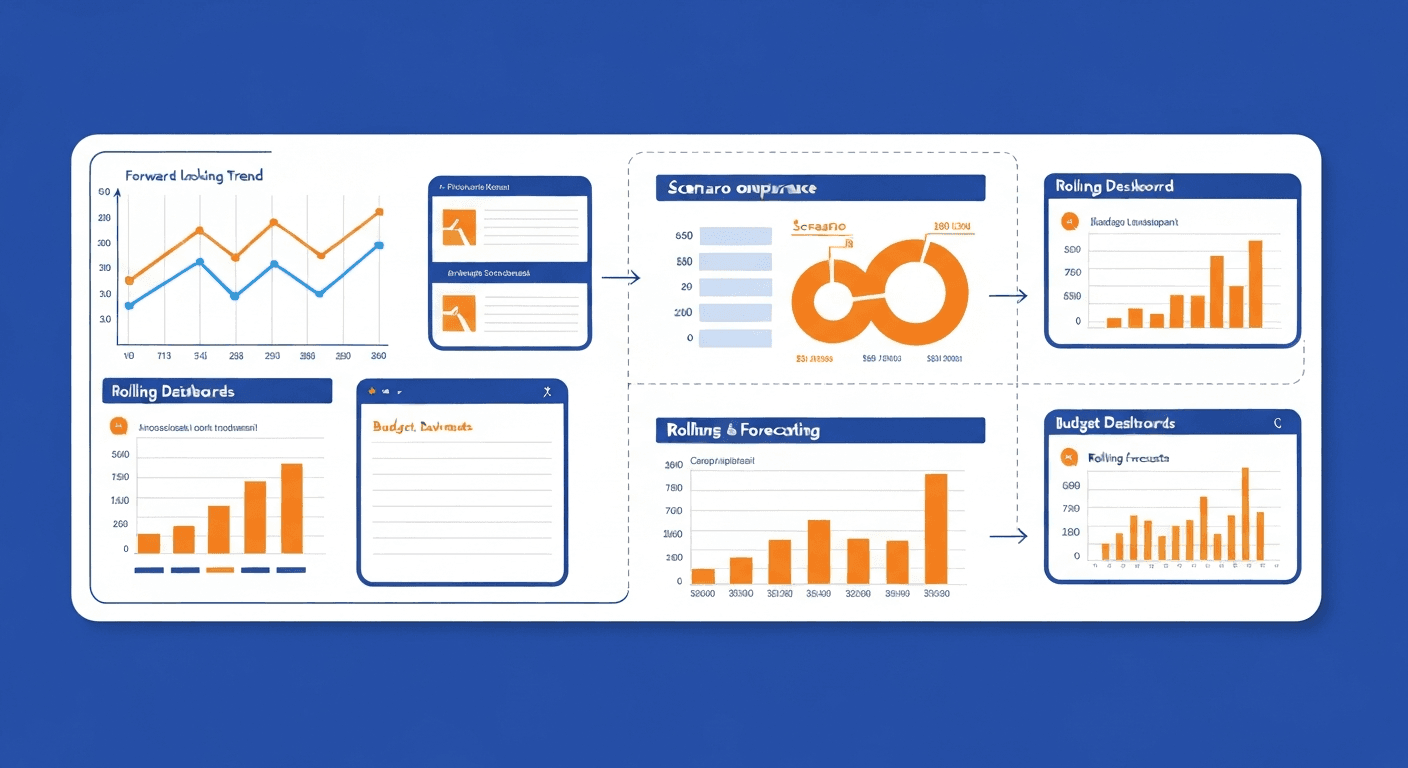
Rather than producing a single annual budget that becomes obsolete within months, automated platforms support rolling forecasts that extend a fixed number of months into the future and are updated monthly.
Here is how a rolling forecast works in practice:
- At the end of January, you have actual results for January and a forecast for February through the following January (12 months forward).
- At the end of February, January and February are actuals, and the forecast extends one month further to the following February.
- Each month, the forecast is updated with the latest information, assumptions are revised, and the planning horizon moves forward.
This means you always have a current, forward-looking financial plan rather than a stale annual budget. Decisions are based on the latest information rather than assumptions made six or twelve months ago.
Scenario Planning
Automated platforms make scenario analysis practical rather than theoretical. You can create multiple scenarios, each with different assumptions about revenue growth, headcount changes, pricing, and market conditions, and the system maintains all of them simultaneously.
Common scenarios include:
- Base case. Your most likely outcome based on current trends and known plans.
- Upside case. What happens if a major deal closes, a new product exceeds expectations, or the market grows faster than expected.
- Downside case. What happens if a key customer churns, the economy slows, or a planned product launch is delayed.
- Stress test. An extreme scenario (like losing your top three customers simultaneously) to understand the floor and plan contingencies.
Switching between scenarios is instantaneous, and the system can show a side-by-side comparison of how each scenario affects cash flow, profitability, and headcount.
Variance Analysis and Alerts
The system automatically compares actual results against the budget and forecast, calculates variances (both dollar amount and percentage), and highlights items that exceed defined thresholds. Finance leaders receive automated alerts when:
- A department exceeds its monthly budget by more than 10%
- Revenue falls below forecast by more than 5%
- Cash balance drops below a specified threshold
- A specific expense category spikes unexpectedly
This transforms budget management from a monthly retrospective exercise into a real-time monitoring system.
What Are the Best Budgeting and Forecasting Automation Tools?
For Small Businesses (Under $10M Revenue)
- Float. A cash flow forecasting tool that connects to QuickBooks, Xero, and FreeAgent. It is not a full budgeting platform, but for small businesses whose primary planning need is cash flow visibility, Float provides automated forecasting with minimal setup. Plans start at $59/month.
- LivePlan. Combines business planning, budgeting, and forecasting in one tool. Pulls actuals from QuickBooks and Xero and generates visual dashboards comparing plan vs. actual. Excellent for small businesses that need a planning tool but do not need enterprise FP&A. Starts at $20/month.
- Jirav. Purpose-built for small to mid-size businesses, Jirav provides driver-based budgeting, rolling forecasts, and scenario planning with QuickBooks, Xero, and NetSuite integration. The interface is designed for finance teams that want more than a spreadsheet but less than an enterprise platform. Pricing starts around $500/month.
For Mid-Size Businesses ($10M to $500M Revenue)
- Vena Solutions. The leading choice for finance teams that want the familiarity of Excel with the control and automation of a planning platform. Budget inputs are collected through Excel-based templates that connect to a central database. Version control, audit trails, and workflow approvals are handled by the platform. Pricing is custom.
- Datarails. Automates the data collection and consolidation that makes Excel-based budgeting painful while letting teams keep their existing Excel models. Excellent for businesses that have invested heavily in complex Excel models and do not want to start over.
- Cube. A spreadsheet-native FP&A platform that supports budgeting, forecasting, and reporting in both Excel and Google Sheets. Integrates with a wide range of ERPs and data sources. Pricing starts around $1,250/month.
- Planful (formerly Host Analytics). A comprehensive FP&A platform with budgeting, forecasting, consolidation, and reporting capabilities. Stronger than Vena in reporting but requires more implementation effort.
For Larger Organizations
- Anaplan. A connected planning platform used by large enterprises for financial planning, supply chain planning, and operational forecasting. Highly flexible but requires significant implementation resources.
- Adaptive Planning (Workday). Part of the Workday ecosystem, Adaptive is one of the most popular enterprise FP&A platforms. Strong driver-based modeling, scenario planning, and integration with Workday HCM and ERP.
- OneStream. Combines financial consolidation, planning, and reporting in a single platform. Best for complex organizations with multiple entities and currencies.
How Do You Implement Budgeting Automation Step by Step?
Step 1: Define Your Planning Framework
Before selecting a tool, clarify your planning methodology:
- What is your budget cycle? Annual with monthly tracking, or rolling forecasts?
- What level of detail do you need? Department-level, cost center, project, or individual line item?
- Who participates? Just the finance team, or do department heads input their own budgets?
- What are your key drivers? Revenue per customer, headcount, units sold, or other metrics that drive your financial model?
Step 2: Select Your Platform
Match the platform to your complexity, budget, and team capabilities. If your team lives in Excel and your needs are moderate, Vena or Datarails preserve that familiarity. If you want a purpose-built platform and are willing to learn a new interface, Jirav or Cube may be better fits.
Step 3: Build Your Financial Model
Translate your existing budget structure into the new platform. This includes:
- Revenue model. How you project revenue (by customer, product, region, channel)
- Headcount model. Current employees, planned hires, fully loaded costs per employee
- Operating expense model. Variable costs tied to revenue drivers and fixed costs that change only with management decisions
- Capital expenditure model. Planned asset purchases and their depreciation schedules
- Cash flow model. The timing of cash inflows and outflows, incorporating all of the above
Step 4: Load Historical Data
Import 12 to 24 months of historical actuals from your accounting system. This provides the baseline for comparison and helps validate that the new model produces sensible results. When your financial reporting is also automated, this data flows in continuously rather than requiring periodic imports.
Step 5: Configure Workflows
Set up the approval and input workflows:
- Who can view, edit, and approve each section of the budget
- What validation rules apply to submitted inputs (for example, headcount additions require a justification note)
- What the submission and approval timeline looks like
- Who receives notifications at each stage
Step 6: Run a Parallel Budget Cycle
For your first budget on the new platform, run the process in both the old and new system simultaneously. Compare the outputs to verify accuracy and identify any configuration issues. This parallel run also gives your team a low-risk opportunity to learn the new tool.
Step 7: Train Budget Owners
Department heads and other budget owners need to understand how to access the system, input their budgets, review variance reports, and request budget modifications. Keep training focused on their specific tasks rather than the full capabilities of the platform.
How Does Automated Forecasting Improve Decision Making?
The shift from static annual budgets to automated rolling forecasts fundamentally changes how businesses make financial decisions.
Faster Response to Changing Conditions
When the economy shifts, a major customer churns, or an unexpected opportunity arises, a rolling forecast lets you model the impact immediately and adjust plans accordingly. With a static annual budget, you are either making decisions without a financial plan or going through an expensive re-budgeting exercise.
Better Resource Allocation
Real-time variance data shows which departments are under-spending (potential opportunity to reallocate) and which are over-spending (potential problem to investigate). Without automation, this information arrives too late to act on.
More Accurate Cash Flow Management
When your forecast is updated monthly with the latest actuals and revised assumptions, your cash flow projections are significantly more accurate. This reduces the risk of cash shortfalls and helps you optimize the timing of major expenditures, debt payments, and tax obligations.
Stronger Board and Investor Communication
Investors and board members expect forward-looking financial projections that reflect current reality, not a plan built six months ago. Automated forecasting gives you always-current projections to share with stakeholders, building credibility and confidence in your financial management.
What Are Common Mistakes in Budgeting Automation?
- Over-engineering the model. A budget model that tracks 500 line items in 12 departments is harder to maintain and provides diminishing returns compared to a model that tracks 50 key line items well. Start simple and add complexity only when it improves decision-making.
- Not involving operational leaders. A budget built entirely by finance without input from sales, marketing, engineering, and operations is a finance exercise, not a business plan. Automation makes it easier to involve more people; use that capability.
- Ignoring non-financial drivers. The best budgets are driver-based, meaning revenue is modeled from leads, conversion rates, and average deal sizes rather than a single top-line growth assumption. Automation platforms support this, but you need to invest time in identifying the right drivers.
- Treating the budget as a ceiling, not a tool. A budget should inform decisions, not prevent them. If a clearly positive ROI opportunity arises mid-year that exceeds the budget, the right answer is usually to pursue it and update the forecast, not to reject it because "it is not in the budget."
- Failing to connect the budget to actuals. An automated budget that is not connected to your accounting system and expense tracking requires manual data entry to populate actuals. This defeats much of the purpose of automation.
How Does Budgeting Automation Fit Into Your Finance Stack?
Budgeting and forecasting automation delivers the most value when it is the connective layer between your operational data and your financial strategy. The key integrations include:
- Accounting software feeding actual results into the forecast automatically
- Payroll automation providing real-time headcount costs, the largest expense for most businesses
- CRM data feeding pipeline and bookings data into the revenue forecast
- Automated invoicing providing real-time revenue recognition data
- Financial reporting consuming the budget and forecast to generate variance analysis and management reports
When these systems work together, you create a continuous planning loop: actual results flow in from operations, the forecast is updated, variances are identified, decisions are made, and plans are adjusted. This is a fundamental upgrade from the traditional cycle of build a budget, ignore it for six months, scramble to explain variances at year-end.
Is Budgeting Automation Worth the Investment?
The ROI of budgeting automation depends on your current pain level and the complexity of your planning needs.
If you are a small business spending 40 or more hours annually building and maintaining a budget in spreadsheets, a tool like LivePlan or Float will pay for itself in time savings alone, typically within the first budget cycle.
If you are a mid-size business with multiple departments, a finance team that spends weeks on the annual budget, and a need for rolling forecasts and scenario planning, the investment in a platform like Vena, Datarails, or Cube delivers returns through better decisions, faster planning cycles, and reduced spreadsheet risk. Most mid-size businesses report that budgeting automation reduces their planning cycle time by 50 to 70% and significantly improves forecast accuracy.
If you are a growing business that has been operating without a formal budget, automation provides the structure and discipline to start planning without the overhead of building a complex manual system. Starting with a simple automated budget is far better than having no budget at all.
Whatever your size, the principle is the same: financial planning should be a continuous, connected process that informs decisions in real time, not an annual exercise that produces a document no one looks at after February. Automation makes that possible.
Harry Harrison
Founder & Editor, Easy Automation
Tech-forward B2B writer and content strategist focused on marketing and finance automation.