Best Payroll Automation Software for Small and Mid-Size Businesses in 2025
Compare the top payroll automation platforms for SMBs. Learn how automated payroll saves time, ensures compliance, and eliminates costly errors.
What Is Payroll Automation?
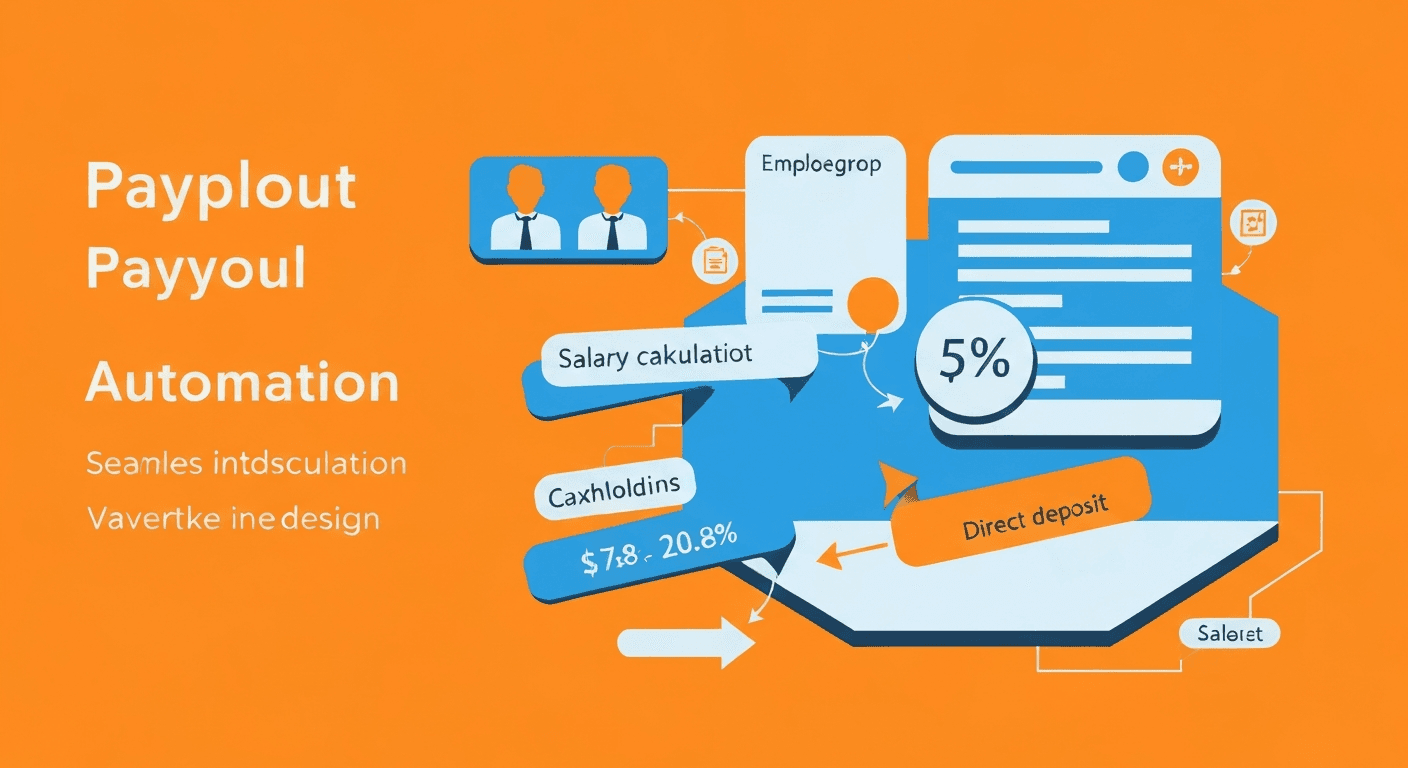
Payroll automation is the use of software to calculate employee wages, withhold the correct taxes, process direct deposits, file payroll tax returns, and generate pay stubs without manual spreadsheet work. Instead of a business owner or bookkeeper spending hours every pay period calculating gross pay, deductions, federal and state taxes, Social Security, Medicare, and net pay for each employee, the software handles every calculation automatically based on configured rules.
A modern payroll automation platform ingests time and attendance data (either from manual entry, a time clock integration, or an HR system), applies the correct pay rates including overtime rules, deducts benefits contributions and garnishments, calculates all required tax withholdings at the federal, state, and local levels, initiates direct deposits or check printing, generates pay stubs for employees, and files quarterly and annual payroll tax returns with the appropriate agencies.
For small and mid-size businesses, where the owner or a single bookkeeper often handles payroll alongside dozens of other responsibilities, this automation eliminates one of the most stressful, time-sensitive, and error-prone tasks on the calendar.
Why Is Manual Payroll So Risky for Small Businesses?
Payroll is not like other bookkeeping tasks where a mistake can be quietly corrected next month. Payroll errors have immediate consequences for real people and can trigger penalties from government agencies.
- Tax calculation errors trigger IRS penalties. The IRS reports that 33% of employers make payroll tax errors each year, resulting in billions of dollars in penalties. Mistakes in federal income tax withholding, Social Security, or Medicare calculations can result in penalty notices, interest charges, and in severe cases, personal liability for business owners.
- State and local tax complexity is growing. Businesses with employees in multiple states face a patchwork of withholding rules, unemployment insurance rates, and local taxes that change frequently. Keeping up manually is nearly impossible.
- Late payroll destroys employee trust. Nothing damages morale faster than a late or incorrect paycheck. Even a single payroll error can undermine the confidence your team has in the business.
- Overtime miscalculations create legal exposure. Federal and state labor laws have specific rules about overtime pay, and violations can result in lawsuits, back pay, and penalties. Manual tracking of hours and overtime eligibility is unreliable.
- Year-end reporting is a compliance minefield. Generating accurate W-2s and 1099s, filing them with the SSA and IRS by the deadlines, and distributing them to employees requires precision. Errors in these forms can trigger audits and penalties.
The American Payroll Association estimates that automation reduces payroll processing costs by up to 80% compared to manual methods, largely by eliminating error correction, penalty avoidance, and time savings.
What Features Should You Look for in Payroll Software?
Not all payroll platforms are created equal. When evaluating options for your business, prioritize these capabilities:
Core Payroll Processing
- Automatic tax calculations. The software should calculate federal, state, and local income tax withholdings, Social Security, Medicare, and FUTA/SUTA taxes automatically and update when rates change.
- Direct deposit. Employees expect direct deposit. The platform should support it natively, including split deposits to multiple accounts.
- Multiple pay schedules. Support for weekly, biweekly, semi-monthly, and monthly pay periods, and the ability to run different schedules for different employee groups.
- Contractor payments. If you work with 1099 contractors, the platform should handle their payments and year-end 1099-NEC filing alongside employee payroll.
Tax Filing and Compliance
- Automatic tax filing. The platform should file your federal and state payroll tax returns (941, 940, state equivalents) on your behalf and on time.
- W-2 and 1099 generation. Automated year-end form creation, filing with the SSA/IRS, and electronic distribution to employees and contractors.
- New hire reporting. Automatic submission of new hire reports to state agencies as required by law.
- Tax rate updates. Rates change every year. The software should update them automatically without action from you.
Employee Self-Service
- Online pay stubs. Employees should be able to access current and historical pay stubs through a portal or mobile app.
- W-2 access. Electronic W-2 distribution and retrieval for current and prior years.
- Tax form updates. Employees should be able to update their W-4 withholding elections online without paper forms.
Integrations
- Time tracking integration. Direct connection to time and attendance systems (or built-in time tracking) to eliminate manual hours entry.
- Accounting software sync. Automatic posting of payroll journal entries to QuickBooks, Xero, or your general ledger.
- Benefits administration. Integration with or built-in support for health insurance, retirement plan, and other benefit deductions.
What Is the Best Payroll Automation Software for Small Businesses?
Here is a detailed comparison of the leading platforms, evaluated based on features, pricing, ease of use, and suitability for different business sizes.
Gusto
Best for: Small businesses under 50 employees that want an all-in-one payroll and HR platform.
Gusto is the most popular payroll solution among small businesses for good reason. It combines payroll processing, benefits administration, and basic HR tools in an intuitive interface that does not require payroll expertise to operate.
Key strengths:
- Unlimited payroll runs at no extra cost
- Full-service tax filing in all 50 states
- Built-in health insurance, 401(k), and workers' compensation administration
- Employee self-service portal with pay stubs, W-2s, and tax form management
- Contractor payments and 1099 filing included
- Excellent onboarding experience for new businesses
Pricing: Plans start at $40/month base plus $6/month per employee. A contractor-only plan is available at $6/month per contractor with no base fee.
Limitation: Gusto's reporting capabilities, while adequate for small businesses, can feel limited as companies grow past 100 employees and need more granular analytics.
ADP Run
Best for: Small businesses that want the backing of the largest payroll company in the world and may need to scale.
ADP is the dominant player in enterprise payroll, and ADP Run brings that expertise to small businesses with 1 to 49 employees. The platform is more structured than Gusto and may require a bit more setup, but it delivers rock-solid payroll processing backed by decades of compliance expertise.
Key strengths:
- Payroll processing with same-day or next-day direct deposit options
- Comprehensive tax filing and compliance management
- Strong HR add-ons including background checks, job posting, and employee handbook tools
- Dedicated customer support with payroll specialists
- Scalable path from ADP Run to ADP Workforce Now as the business grows
Pricing: ADP does not publish pricing. Plans are quoted based on employee count and selected features. Expect to pay more than Gusto, but the pricing includes more hands-on support.
Limitation: The interface can feel dated compared to newer platforms, and the pricing opacity can be frustrating for budget-conscious small businesses.
Rippling
Best for: Tech-forward businesses that want payroll deeply integrated with IT, HR, and device management.
Rippling takes a unique approach by building payroll into a broader employee management platform that also handles benefits, app provisioning, device management, and HR workflows. If you want a single system that onboards an employee, sets up their laptop, provisions their software accounts, enrolls them in benefits, and adds them to payroll, Rippling does it.
Key strengths:
- Payroll in all 50 states with global payroll capabilities in 100+ countries
- Deep integration with hundreds of business applications
- Automated compliance monitoring and tax filing
- Built-in time tracking and PTO management
- Powerful workflow automation engine for custom payroll rules
Pricing: Starts at $8/month per employee. Payroll is a module added to the core Rippling platform, so total cost depends on which modules you select.
Limitation: The platform's breadth can be overwhelming if you only need basic payroll. You may end up paying for capabilities you do not use.
OnPay
Best for: Very small businesses and accountants managing payroll for multiple clients.
OnPay offers straightforward, affordable payroll with no tiers or upsells. Every customer gets the full feature set at one price point, which makes budgeting simple and eliminates the "you need to upgrade" frustration common with competitors.
Key strengths:
- Single pricing tier with all features included
- Unlimited payroll runs
- Full-service tax filing in all 50 states
- Built-in HR tools including document storage, e-signatures, and org charts
- Multi-state payroll at no extra cost
- Accountant dashboard for CPA firms managing multiple clients
Pricing: $40/month base plus $6/month per employee. No hidden fees, no feature tiers.
Limitation: The platform is less polished than Gusto or Rippling from a design perspective, and its benefits administration options are more limited.
QuickBooks Payroll
Best for: Businesses already using QuickBooks Online for accounting that want seamless integration.
If your books are in QuickBooks, its payroll add-on provides the tightest possible integration between payroll and accounting. Payroll journal entries post automatically, and you can run payroll directly from the QuickBooks dashboard without switching platforms.
Key strengths:
- Native integration with QuickBooks Online (automatic journal entries, expense categorization)
- Same-day direct deposit on premium plans
- Full-service tax filing and year-end form processing
- Time tracking integration with QuickBooks Time (formerly TSheets)
- Health benefits and 401(k) administration on higher tiers
Pricing: Plans start at $50/month base plus $6/month per employee for the Core plan. Premium and Elite plans add more features at higher base prices.
Limitation: The payroll features are somewhat less robust than dedicated payroll platforms, and customer support quality has been inconsistent based on user reviews.
How Do You Implement Payroll Automation?
Switching from manual payroll or migrating from one platform to another requires careful planning. Here is a step-by-step approach.
Step 1: Gather Your Payroll Data
Before setting up any platform, collect and verify:
- Employee information (names, addresses, Social Security numbers, W-4 elections)
- Pay rates, salary amounts, and commission structures
- Benefits enrollment details and deduction amounts
- Year-to-date payroll totals (critical for mid-year migrations)
- State and local tax registration numbers
- Bank account information for direct deposits
Step 2: Choose Your Timing
The best time to switch payroll systems is at the beginning of a quarter (January 1, April 1, July 1, or October 1). This simplifies tax filing because you avoid splitting a quarter across two systems. January 1 is ideal because it eliminates the need to migrate year-to-date totals entirely.
Step 3: Run Parallel Payrolls
For your first one or two pay periods on the new system, run payroll in both the old and new system to compare results. Verify that gross pay, each tax withholding, deductions, and net pay match. This parallel run catches configuration errors before they affect employee paychecks.
Step 4: Set Up Integrations
Connect the payroll platform to your time tracking system, accounting software, and benefits providers. Test each integration by running sample data through the pipeline and verifying that the output is correct in every connected system. This same integration principle applies to your broader finance automation strategy, including automated invoicing and expense tracking.
Step 5: Train Your Team
Even though automation handles the heavy lifting, someone needs to review and approve each payroll run, handle exceptions (new hires, terminations, bonuses, retroactive adjustments), and monitor the system for anomalies. Make sure that person understands the platform thoroughly.
How Does Payroll Automation Handle Multi-State Compliance?
For businesses with remote employees or offices in multiple states, payroll tax compliance is one of the strongest arguments for automation. Each state has its own:
- Income tax withholding rates and brackets
- Unemployment insurance tax rates (which vary by employer experience rating)
- Disability insurance requirements (in states like California, New York, and New Jersey)
- Local and municipal taxes (especially in states like Pennsylvania and Ohio)
- Reciprocity agreements that affect which state's taxes apply to cross-border workers
Keeping track of all this manually is essentially impossible for a small business. Payroll automation platforms maintain updated tax tables for every jurisdiction and automatically apply the correct rates based on each employee's work location. When rates change, the software updates them without any action from you.
This compliance automation alone is worth the cost of the software for any business with employees in more than one state.
What Common Payroll Mistakes Does Automation Prevent?
Automated payroll directly prevents the most costly and common errors:
- Misclassifying employees as contractors. While automation does not make the classification decision for you, platforms like Gusto and Rippling flag potential misclassification risks and maintain clear distinctions between W-2 and 1099 workers.
- Missing tax deposit deadlines. Automated systems calculate and remit payroll taxes on schedule, eliminating the risk of late deposit penalties.
- Incorrect overtime calculations. The software applies FLSA overtime rules automatically based on hours worked, and can be configured for state-specific overtime rules that differ from the federal standard.
- Failing to update tax rates. When Congress or state legislatures change tax rates, manual systems break. Automated platforms update silently.
- Inaccurate year-end forms. Because every payroll run is calculated and recorded correctly throughout the year, the W-2s and 1099s generated at year-end are accurate by default rather than requiring manual reconciliation.
Is Payroll Automation Worth the Investment?
For any business with employees, the question is not whether to automate payroll but which platform to choose. The cost of payroll errors in penalties, employee dissatisfaction, and time spent on corrections vastly exceeds the $40 to $100 per month that most small business payroll platforms charge.
If you are a solo business owner currently doing payroll by hand, start with a straightforward platform like Gusto or OnPay. If you are a growing company with multi-state employees and complex benefits, evaluate Rippling or ADP Run for their scalability and compliance depth.
Whatever you choose, the goal is the same: move payroll from a stressful, error-prone manual task to a reliable, automated process that runs accurately every pay period without consuming your time and attention. Combined with automated financial reporting and budgeting automation, payroll automation becomes one piece of a fully streamlined finance operation.
Harry Harrison
Founder & Editor, Easy Automation
Tech-forward B2B writer and content strategist focused on marketing and finance automation.